5th July 2022
Notes for ESS custom application to print forms.
1. Start DataWise Report Writer
2. Select the correct company
3. Click the setup button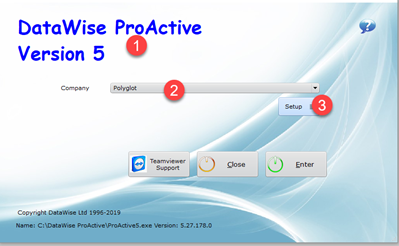
4. Select the [Other] Tab
5. Add [ WIN_ESSStatements ] to the Custom form entry. ( Must be exactly as shown )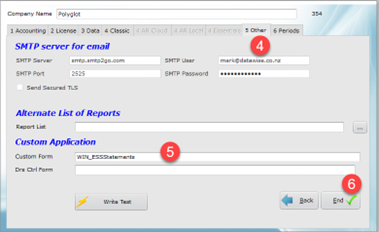
6. End and return to login screen.
7. Open and select [ Custom ] button
8. ESS form should appear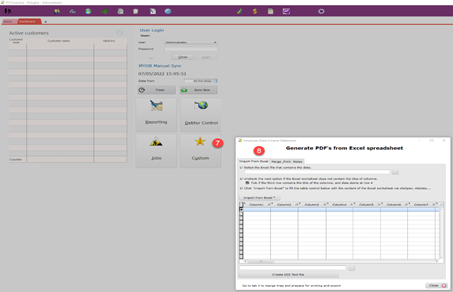
Was this article helpful?
That’s Great!
Thank you for your feedback
Sorry! We couldn't be helpful
Thank you for your feedback
Feedback sent
We appreciate your effort and will try to fix the article